Sharing an enabled personal server now completes its local Team setup while keeping the personal original and credentials on your device.
Repeated GTK launches and Team links reuse the open app. Links for the current Team keep the existing connection.
Server rows distinguish personal and Team entries, and Team actions use compact buttons. Disconnecting the app restores the personal routes it replaced.
Updating a .deb install no longer drops every MCP connection. The update feed only carries an AppImage for Linux, so the in-app updater stopped every gateway and then failed with "invalid updater binary format". Installs from a .deb or .rpm package now link to the release page to download the new package instead. (#961, thanks @JustinKeltner)
---
Full changelog: https://github.com/btsouth/toolport/blob/v1.23.2/CHANGELOG.md
Teams share previews now show the command, arguments, working directory, endpoint and declared credential names before publication in both desktop shells. Credential values stay hidden, personal originals remain saved, and unrelated Team servers stay unchanged.
---
Full changelog: https://github.com/btsouth/toolport/blob/v1.23.1/CHANGELOG.md
Share selected servers with your team. Publish one or more working personal servers without replacing the team's other definitions. Review the changes first, then explicitly choose whether to use the managed version in your profile. Personal originals stay saved, and credential values stay local.
Clearer Teams setup. Connection, local review and setup status make the next step easier to identify. Managed local commands show their arguments, working directory and required credentials before you enable them.
Fixed
Teams keeps working while the window is hidden. Configuration delivery and required status reporting continue while Toolport is running in the tray. Durable reporting retains successful managed-call evidence across interruptions and retries safely.
Managed calls keep their server identity. Reporting uses the shared server's stable identity rather than a normalized tool prefix, so punctuation and similar names do not silently lose attribution.
Joined Teams stay associated with the correct account. The updated Teams connection flow works with named invitations and authenticated membership discovery in the Teams portal.
Modern MCP clients work through the shared gateway. The stdio adapter sends the headers required by modern clients, preserves protocol errors, handles concurrent requests and streaming notifications, and keeps the daemon alive for active clients. Unknown tool names receive a consistent no-route response.
Local server setup preserves individual configuration. Curated launch inputs and team-specif
Toolport now uses one shared host gateway by default for registry-backed MCP clients. Lightweight stdio adapters share server connections while keeping profiles, project roots, subscriptions, approvals, and sensitive-data controls scoped to each session. The legacy setting remains available if a client needs the previous gateway behavior.
Added
Shared HTTP uses the host gateway. The desktop HTTP endpoint runs through a lightweight proxy and releases its service lease when the app closes. (#947, #948)
Gateway savings are measurable. In a local Linux run with three sessions and six configured servers, the gateway tree fell from 18 to 9 processes, direct stdio children from 12 to 4, and private memory from 1,446.1 to 621.1 MiB. Results will vary by setup. (#940, #941, #942)
Fixed
Adapters keep checking the daemon during a slow cold start instead of disconnecting after six seconds.
The in-app updater shuts down idle shared daemons and refuses installation while one is serving active sessions. Close those sessions and retry the update. (#949, #950, #952)
Managed Unix clients move off an old gateway path even if the old binary still exists.
Desktop launches with an explicit data directory leave existing AI client configs and hooks alone. (#958)
On Linux, the server list refreshes authentication status when focused, and the Authenticate action fits narrow windows. (#953)
Toolport 1.20.0 brings slow-start controls and Cursor ask-first approvals into the app, and makes damaged integrity stores visible without taking down unrelated Linux panels. The shared host daemon remains opt-in; this release does not change the default gateway topology.
Added
A Cursor "ask first" rule now prompts in Toolport instead of Cursor. When the guard is enforcing and a native call matches one of your ask-first rules, the question routes to Toolport's approval window (the one destructive calls use) as its own reason, naming the rule that matched, so agent prompts and tool approvals land in one place. A denial, no answer in time, or Toolport not running all refuse the call, each saying which. The Linux-native settings gained the per-agent switch for it.
Servers that need a slow cold start can set their own startup timeout. The server editor's new Startup timeout field applies to initialize for stdio, HTTP, and SSE servers, with a maximum of 24 hours, while the normal request timeout resumes afterward. Server rows also say "Initializing…" after a few seconds, so a slow first start no longer looks like a missing route. (#918)
Arch and Omarchy installs can follow the signed pacman repository. The install and update steps are now documented alongside the other download paths.
Fixed
Damaged integrity stores no longer look like missing identities or an empty quarantine. Cross-profile pin and quarantine views report unreadable, empty, or corrupt stores as unknown, naming the affected profile. A vanished pi
Toolport 1.19.0 lets one shared gateway serve clients with different discovery modes at the same time, stops an over-long routine name from breaking every request from a prefixing client, and fixes a placeholder guard that refused real HTML and template values. It also carries cross-process rate-limit backoff for busy hosts and two dependency security updates.
Added
The shared HTTP gateway can pick a discovery mode per client. One bridge process previously resolved a single mode at startup and applied it to every client, so it could serve a native-tool-search client the full catalog or a local model the compact meta-tools, but not both. It now honors clientDiscovery[<http-client-id>] for the client its bearer token resolves to: set full for Claude Code or Codex and lazy for Open WebUI in the same process. Only full and lazy are per-client; grouped stays process-wide, and a client without an entry inherits the process mode. (#868)
Fixed
Two server ids that differ only by - and _ could become one server. The gateway rewrites ids to the tool-name charset for exposed names, and that rewrite also keyed client scope, PII pseudonym origins, injection block exemptions and result budgets, so a local server named "Team Acme CRM" and a synced team server team_acme-crm, or a hand-edited gh_api beside a new gh-api, shared scope and exemptions. New ids, local or team-synced, are now kept distinct under that rewrite the same way an exact duplicate is renamed.
**The OpenAPI endpoint answered failed tool calls with H
Toolport 1.18.0 adds a native GTK shell for Arch and other current-GTK Linux distributions, makes the destructive-tool setting hide what it refuses, and fixes catalog entries for servers you host yourself. The .deb and AppImage builds are unchanged and remain the Linux download everywhere else.
Added
A native GTK shell for Arch, Omarchy, and other current-GTK distributions. Not a rewrite of the Linux app for every distribution: this is a second Linux build, packaged for Arch as toolport, and it needs GTK 4.10 or newer and libadwaita 1.4 or newer. That rules out Ubuntu 22.04 and Debian 12, which keep the existing .deb and AppImage, as does anywhere the native package is not available. Where it does run it is GTK4/libadwaita rather than a web view: it follows the active Omarchy palette, behaves as a regular Wayland window under Hyprland, and leaves tiling and geometry to the compositor. Everything the cross-platform app does is here - servers, profiles and secrets, client detection and connection, pending approvals with desktop notifications, Activity, Catalog and starter stacks, Playground, Rules and project rules, Teams, agent permissions and the activity recorder, the shared HTTP endpoint, diagnostics, and first-run setup. Updates come from pacman or the Omarchy update flow; there is no self-updater in this build.
Only one Toolport should run at a time. Both builds read the same ~/.config/Toolport, and only one process can hold the approval broker's endpoint, so the second to start shows an empty approval queue while promp
Toolport 1.17.0 brings one permission policy to Claude Code and Cursor, makes agent rules project-aware and safe around hand edits, hardens approval and Teams trust boundaries, and fixes fresh Codex gateway startup on Omarchy.
Security
A process that bound the approval broker's endpoint after the app had gone could approve gated calls in its place, and be handed the arguments first. The gateway dialed whatever approval-endpoint.json named and believed whatever came back. The descriptor survives a crash or a force-kill, and nothing authenticated the peer that answered: the literal bytes "approved" were a complete decision. Because the request is written before the reply is read, such a peer also received the call's real arguments, including the rehydrated values behind a PII release. The gateway now opens every dial with a random challenge that the broker must answer with an HMAC-SHA256 proof of the shared token, and sends nothing until the proof checks out; a peer that cannot read the owner-only descriptor cannot produce it, so it sees no request and its answer is never read. The failure is reported as unreachable, so a restarted app is still found on the re-read, and it is still fail-closed. On Unix the broker also listens on a socket file in a 0700 directory under the data dir, which a current gateway prefers, so such a peer cannot even connect on that path; the loopback listener stays (and is all there is on Windows), and the challenge protects both the same way. A gateway from before this change still reads only the loop
Toolport's AppImage opened a grey, empty window on Arch, Omarchy, Manjaro and other rolling distros — but only on Mesa, which is to say AMD and Intel graphics. NVIDIA machines were fine. That split made it look like an AMD bug, and 1.15.0 shipped advice to install a native package instead and pick your download by driver.
It was never about the GPU. 1.16.0 fixes it at the source: one AppImage, running on Omarchy, Arch, Manjaro and EndeavourOS across AMD, Intel and NVIDIA alike. No native package required, no driver-specific advice, nothing to choose.
scripts/install.sh follows suit — Arch just gets the AppImage now. toolport-bin is still published for anyone who would rather have a real package that upgrades through pacman; it's a preference now, not a workaround.
---
What was actually wrong
The AppImage bundled wayland 1.20. AppRun puts the bundle on LD_LIBRARY_PATH, and the dynamic loader applies that to everything the process opens afterwards — including the host's GPU drivers, which are deliberately not bundled. So the host's own Mesa was resolved against a four-year-old wayland:
wl_fixes_interface arrived in wayland 1.23. libEGL_mesa therefore never loaded at all, eglGetDisplay returned nothing, and WebKitWebProcess aborted on startup with EGL_BAD_PARAMETER — a window that opens and never paints. NVIDIA's proprietary EGL doesn't link libwayland-client, which is the only reason it escaped.
Release job no longer inherits Azure Trusted Signing credentials during frontend install. They are now step-scoped to the Windows tauri build, matching TAURI and APPLE. (SBS-925)
Downstream stderr drain no longer grows without bound on a newline-less write. Stdout was already capped at 16 MiB per line; stderr still used unbounded read_line and only trimmed the kept tail afterwards. A hostile or buggy stdio server that wrote a multi-GB chunk with no newline could OOM the gateway and take every HTTP-bridge client with it. The drain now uses the same take(MAX_RESPONSE_BYTES) bound as stdout and stops on an unterminated full-cap line. (SBS-930)
Added
Arch Linux package: toolport-bin (paru -S toolport-bin, or omarchy pkg aur add toolport-bin, once AUR account registration reopens upstream; until then `scripts/render-aur.sh <version> ./aur && cd aur &&
makepkg -si builds the identical package with no AUR account). The AppImage bundles Ubuntu 22.04's libwebkit2gtk-4.1, which has no WebKitGPUProcess and cannot initialise EGL against a current Mesa, so on a rolling release the window opens grey and empty while WebKitWebProcess aborts every launch. No WEBKIT_* variable avoids it. The AUR package repackages the official .deb payload against the host WebKitGTK, the same thing the .deb already does on Debian/Ubuntu. Published by a new aur.yml workflow that build-tests the PKGBUILD in an Arch container before pushing. scripts/install.sh` now routes Arch users there. The fat AppImage is
Agents can now keep what worked. A proven multi-tool orchestration can become a saved routine that survives sessions and clients, with a human approving the exact definition every time one is persisted.
The rest of the release is mostly a security pass, and the credential one is the reason to upgrade rather than wait: the redaction gate in front of the public share link, the diagnostics bundle and the team config push missed several of the most ordinary ways a key is spelled, so live tokens could ride out to a public URL. Two more findings in the same family are closed here, along with a set of local-file permissions that were wider than intended and an installer that never checked who signed the build it was about to install.
A run of hardening across the app, on one theme: a check that could not finish used to look exactly like a check that passed. A reload signal, a vault read, a restart check, a backup stat each had a failure path that came back looking like good news. They now report the failure, so what the app shows you is what it actually knows.
Added
Persistent agent routines. A proven multi-tool Code Mode orchestration can be promoted into a saved, parameterized routine that outlives the session and works from any client. Promotion is the only way in: toolport_run_script gains an immutable input mode (inputs schema-validated, deep-frozen in the VM, dropped after assessment), only immutable runs are promotion-eligible, and toolport_save_routine takes a runId rather than source, so free-typed source can never be persisted. Every save
Toolport installs two new ways: as an agent plugin any conformant client can pick up, and on Windows through a one-line command instead of a trip to the Releases page. Pseudonymization gains the piece it was missing, a way for a human to release one value to one server, so the workflow it used to dead-end now has an answer.
Most of the rest of this release is one defect wearing different faces: code that read a failed probe as good news. A failed audit baseline, health check, security read, or integrity load could each come back looking like "all clear" and let the app act on it. Each one now fails closed.
Added
Agent plugin. Toolport now ships as an Agent Plugins 1.0 package (toolport-agent-plugin.zip on each release): one install connects VS Code, GitHub Copilot CLI, the Copilot app, and other conformant clients (plus Claude Code, via the bundled dual layout) to the local gateway, with a skill teaching the agent the search → call workflow. The plugin launches the gateway the desktop app already installed, so plugin installs share your existing servers, credentials, and profiles. If the app already manages that client, disconnect it there first or the gateway connects twice.
Windows one-line install.irm https://raw.githubusercontent.com/tsouth89/toolport/main/scripts/install.ps1 | iex, matching the macOS and Linux one-liners. It resolves the release through the GitHub API, picks the NSIS asset for the machine's architecture, and refuses to install anything it cannot verify against the per-asset dige
Two features ship for the first time. PII pseudonymization replaces personal data in tool results with tokens before the model sees them, restoring the real values only for the server that provided them. OAuth client credentials let a headless server — one nobody can click a browser sign-in for — get a real token. Both are off or opt-in by default.
Several things that were only safe within one process are now safe across processes: rate-limit counters, OAuth token refresh, and the pseudonym map. Each client spawns its own gateway, so one process was never the real shape.
Upgrading a Teams deployment: the instructions receipt hash changes once in this release. See Changed below before rolling it out.
Added
PII pseudonymization. Emails, phone numbers, card numbers, IBANs, IP addresses and provider-shaped API keys become stable tokens (⟦EMAIL_1⟧) before the model sees them, and are restored on the way out. The mapping stays in memory. Off by default, and a reduction rather than a guarantee: a value no detector recognizes passes through, as does everything once the per-session cap is reached. (SBS-346)
OAuth client credentials for headless servers. Discovers the endpoint, negotiates the auth method, and reacquires before expiry. Never falls back to a browser flow, which would be unusable where this is needed. (SBS-524)
Old gateway binaries are cleaned up instead of accumulating (~18 MB a release). Keeps anything running, named by a client config, known to be relaunching, or recent enough to still be cached. (SOU-484)
Modern MCP over Streamable HTTP, with sessionless requests, multi-round-trip approvals, subscription listeners, and the legacy session flow still available on the same endpoint.
Highlights
MCP 2026-07-28 over Streamable HTTP
Modern clients can call POST /mcp without an initialize request or Mcp-Session-Id. Each request carries its protocol metadata and routing headers, and ordinary results identify themselves with resultType: complete.
Nothing moves for existing HTTP clients. The legacy 2025-06-18 initialize/session flow remains on the same URL, and Toolport chooses the path from the request rather than requiring a server-wide mode switch. (#584, #586)
Multi-round-trip requests and human approval
A modern destructive call no longer has to hold an HTTP request open while a person decides. Toolport returns input_required with an opaque requestState; the client supplies inputResponses on a fresh request to deny or resume the exact bound call. Denial never reaches the downstream server, and approval executes the accepted call once. (#585)
Modern subscriptions
Modern clients use subscriptions/listen instead of the legacy GET stream. Listeners choose the notifications they need, receive their subscription id in each event, and clean up when the POST stream closes. A follow-up fix makes sure events are flushed rather than waiting in the response buffer. (#583, #590)
Cacheable catalogs and downstream headers
Modern list and discovery results carry ttlMs and cacheScope, with stable ordering across equivalent requests. Modern HTTP se
MCP 2026-07-28 support over stdio in both directions, stale gateways that stop after an upgrade, approvals that re-check against the live gateway, and a batch of transport and code-mode fixes.
Highlights
MCP 2026-07-28 over stdio, both directions, same endpoint
A client on the new revision can talk to Toolport, and Toolport can talk to a server on it. Every existing client and server keeps seeing byte-identical traffic. Both eras run on one stdio endpoint and are detected per connection, so there is nothing to migrate and nothing to configure. (#511)
Three things now work through the gateway that did not before:
Progress notifications reach your client. A server reporting progress during a long call has it relayed back, routed to the client that asked for it.
Large results keep their full envelope. Shaping an oversized result preserves _meta and any fields Toolport does not recognise.
Structured error codes survive the hop, so a client can act on a machine-readable code instead of parsing a message string.
Over Streamable HTTP, Toolport stays on the established revision for now. A modern client gets the response the spec defines as the fall-back signal, so it negotiates down cleanly instead of failing. That half lands with subscriptions/listen.
Old gateway processes stop after an upgrade, on every OS
Upgrading used to leave older versioned gateways (toolport-gateway-1.9.4.exe and friends) running, so security and policy fixes in the new binary never took effect for clients still talking to an old one. Gateway id
Client ownership that stays put, Shared HTTP as a real connect option, code mode that can run real multi-step scripts, native resource subscriptions, and a pile of gateway hardening.
Highlights
Your client config is yours (unless you ask us to rewrite it)
A report from the community (#487) showed Toolport rewriting a hand-edited Claude Desktop toolport entry on every app launch. That is fixed end to end:
Launch re-point only touches real gateway binaries (versioned toolport-gateway* / legacy conduit-gateway*). Hand-edited commands like npx mcp-remote are left alone and logged. (#488)
Ownership is first-class: Managed / Customized / Absent. Integrations shows a custom-configuration badge and Reset to default (confirm before overwrite). Connect and migrate refuse to clobber a customized entry without an explicit force. (#489)
Shared HTTP on Connect. Point a client at the supervised HTTP bridge instead of spawning its own gateway: native url + bearer where the client supports it, or an opt-in npx mcp-remote form for stdio-only clients (Claude Desktop and friends). Tokens are vaulted; ownership records never store bearers. (#491)
Machine-wide TOOLPORT_HTTP / CONDUIT_HTTP no longer hijacks client-spawned stdio gateways. When stdin is a pipe, env forms are ignored (with a warning). Prefer --http for scripts and services. (#488)
What you see is Toolport. Upgrades from Conduit-era installs migrate cleanly.
This release finishes the user-facing Conduit → Toolport rename (MCP entry name, data directory leaf, env keys, deep links), keeps every pre-rename CONDUIT_* env alias working, and ships the security, Teams policy, much faster indexed local search, gateway reliability, and client work that landed after 1.9.4.
Branding and upgrade migration
Claude, Cursor, Codex, and the rest show toolport, not conduit. New connects write the gateway under that name. Existing installs rename the entry on launch, rewrite client env to TOOLPORT_CLIENT_ID / TOOLPORT_PROFILE, and move the data directory from …/Conduit to …/Toolport when nothing has those files locked. Legacy CONDUIT_* env names and conduit:// deep links still work so headless boxes and old share links do not break.
Control-plane secrets stay off untrusted servers. Downstream MCP processes no longer inherit TOOLPORT_* or CONDUIT_* gateway env (vault key, HTTP token, and the rest of the control namespace).
After upgrading: open Toolport once, then restart each AI client so it reloads its MCP config. For Toolport Studio, starting a new conversation is enough. You should see toolport in the client’s connector list.
Security and integrity
Opt-in block-on-injection, with org-level force for Teams members. (#465)
Richer structuredContent scanning (head/tail of large payloads) with redaction on hit. (#455)
Corrupt quarantine fails closed instead of treating a bad file as empty.
Toolport blocks a tool when its definition changes in a risky way. This release fixes the part where un-blocking it didn't work, and makes the whole thing visible instead of buried. It also lands a security pass that closes several ways a malicious server could reach past the gateway, adds four new clients, and clears a batch of reliability and correctness bugs.
Quarantine: blocked tools you can actually see and unblock
Re-approving a blocked tool now unblocks it. Re-approving cleared the list in the app, but the gateway kept refusing the call with "re-approve to restore" - telling you to do the thing you had just done, with no way out from inside the app. Restarting Toolport or toggling a server off and on was the only escape. The gateway now reconciles what's blocked against what you've approved, so a re-approved tool works on the very next call. (#395)
Blocked tools surface anywhere in the app. A card now appears with the reason the tool was blocked and a re-approve button right there, plus a count on Settings so it stays easy to find. Previously the first sign of trouble was an agent call failing, and the remedy was buried in Settings. (#401)
A damaged quarantine file no longer un-blocks tools. If the file recording what's blocked couldn't be read, it was treated as "nothing is blocked", quietly dropping the protection. It now keeps enforcing what it already knows, and says so. (#399)
Updating
Updating now replaces the gateway your AI clients are using. Toolport runs a small gateway process for each connected client, and that's where most f
Makes the v1.9.2 teams cost fix actually work when the app is in the tray.
Fixes
Team sync really pauses in the tray now. v1.9.2 tried to stop syncing when the app was backgrounded, but it leaned on a browser signal that doesn't fire when a Tauri window is hidden to the tray on Windows, so a tray'd app kept polling the team server and kept its database awake. The pause now runs off the app's own window show and hide, so a connected app sitting in the tray makes no requests at all, and resumes with an immediate sync the moment you open it.
A teams cost fix at the center: a connected app no longer keeps your team server's database awake while it sits idle. Plus an easier install path and a few onboarding and settings touch-ups.
Fixes
Team sync pauses when the app is in the background. An app connected to a team was polling the team server every ~25 seconds for as long as it was running, even minimized to the tray with nobody using it. Each poll touched the server's database, which on a scale-to-zero Postgres kept the compute running around the clock. The sync loop now stops entirely while the app is hidden and resumes with an immediate catch-up the moment you bring it back, so a backgrounded app makes no requests at all. The server also records presence far less often, so an active app stays gentle on the database too.
Pins and quarantine are safe across multiple app processes. The pins and quarantine stores are now guarded by a cross-process lock, so two Toolport processes touching them at once can't clobber each other's writes.
Added
One-line install and a Homebrew cask. You can install Toolport with a single curl command, or brew install --cask on macOS, instead of downloading the installer by hand.
Setup confirms a real call. Onboarding now runs an actual tool call through the gateway at the end, so you finish setup knowing the connection works instead of hoping it does.
Changed
Cleaner Settings. Pinned prerequisites now sit under Lazy discovery where they belong, and the "Move config in" copy is clearer about what it does (thanks to @BharadwajKanneveti, #355).
A fast follow-up to v1.9.0 that makes code mode reachable, corrects the Activity call total, and stops the injection scanner from flagging benign shell examples.
Fixes
Turn on code mode from Settings. Code mode (the server-side toolport_run_script meta-tool) was reachable only through an environment variable, so there was no way to enable it from the app. There's now a "Code mode" toggle in Settings under Discovery, off by default.
Activity shows your real call total. The summary was counting only the most recent 2,000 calls, so the total capped at 2000 and the error rate was measured over that slice. It now reflects the full retained log, so the total, error rate, and per-server breakdown are the real numbers.
The injection scanner stops flagging benign shell examples. A tool description that documents a hashing command (for example ... | base64 -d | shasum -a 256 | awk ...) no longer trips a false "suspicious content" notice. The scanner now matches a pipe into an actual shell or interpreter, so real decode-then-execute still flags while look-alikes stay clean.
The orchestration-and-polish release: run whole tool sequences server-side, scope tools by folder and by profile, and a lighter, more finished UI.
Highlights
Code mode. An agent can send one script that runs server-side in a sandboxed pure-Rust engine, calling tools and shaping results inline, instead of round-tripping every call through the model. Fewer round-trips and less token overhead on multi-step work.
Folder- and project-scoped routing. Map a workspace folder to a profile so the active server set follows the project you're working in, with no manual switching.
Tool-granular profiles. A profile can now scope which individual tools each server exposes, not just which servers are visible, so you can present a tight, purpose-built tool set.
Light and dark theme. A System / Light / Dark control in Settings, with the light palette tuned for real use. Existing installs stay dark; fresh installs follow your OS.
Official client logos. Client pages now show the real brand logo for Cursor, Codex, Claude, Gemini CLI, Zed, Warp, and more.
Live Activity. The feed and Live Inspector update in place as calls come in, and the savings banner reads more honestly, with B/T token units and the dollar figure framed as a list-price upper bound before caching.
Structured-result projection. Large tool results can be projected down to the fields that matter before they reach the model, instead of returning the full payload.
Security
Human approvals are bound to the exact arguments they were granted for, so a decision can't be reused against swapp
More control per client, broader MCP coverage, and a safer gateway.
Highlights
Choose discovery mode per client. Use full, lazy, or grouped discovery for each connected AI client without changing every other client.
Use broader official APIs. New Full-API catalog options are available for Stripe, Vercel, Cloudflare, and Clerk.
Clear local activity data. Audit, savings, inspection, and search-trace history can now be removed together from Settings.
Security and reliability
Scoped clients no longer see metadata for renamed tools outside their profile.
Spawned MCP servers no longer inherit Toolport control secrets.
Spawn screening now catches additional launcher, interpreter, remote-source, and wrapper bypasses.
Gateway overload, long search queries, and oversized stdio frames are bounded.
Cross-process config writes are serialized so valid client state is not silently lost.
Install, repair, and uninstall remove stale duplicate Toolport gateway entries.
This release also improves update handoff to the current gateway binary, desktop error recovery, Teams approval links and empty-team onboarding, activity labels, and tool-count messaging.
Upgrade
In-app: click the Toolport version in the sidebar footer when it shows an update.
Installer: download the build for your platform below.
Contributors
Thank you to @sapunyangkut for improving tool-less Activity security notices, and to @tapheret2 for external-link guard regression coverage.
Joining a Toolport Team no longer freezes the app.
Two separate bugs locked things up when you connected the desktop app to a team. Both are fixed.
The app no longer hangs on join. The team network calls (join, background config sync, admin push) ran on the app's UI thread, and the sync holds a roughly 30-second long-poll open, so simply being connected to a team blocked the interface and the window went "Not Responding." They now run off the main thread.
Joining no longer exhausts memory. The background sync rewrote the local registry on a timer, and every gateway re-spawned each server on the change, leaking processes until RAM ran out. Saves are now a no-op when nothing changed, and the gateway only rebuilds when the server set actually changes.
Alongside the Teams work:
Review bulk imports before applying. Detect or paste a batch of servers and confirm the full set before it lands, with scoped package names preserved and no stale-row or same-name collisions.
Tighter spawn screening. Destructive-command screening now catches PowerShell -EncodedCommand and PERL5OPT.
Project-root working directory. A ${ROOT} server runs in the client's actual project root, resolved live from its MCP roots.
---
Upgrade
In-app: click Toolport v1.x.x in the sidebar footer (shows Update to v… when a release is available).
The headline is a scope fix. A client scoped to a profile that has since been deleted or renamed used to fall back to your active profile and quietly expose that set of servers. It now fails closed to an empty set instead. Clients that aren't scoped still follow the active profile, unchanged.
Alongside that, a batch of reliability and quality-of-life work.
Per-server working directory. Pin a stdio server (filesystem or grep tools) to a project directory instead of inheriting Toolport's. Paths support ~ and ${VAR}.
Live profile scoping. Re-scope a client from the app and it applies on the next reload, with no client restart. The app also flags a server that's connected but exposing zero tools, the usual sign it still needs to authenticate.
Incremental server grid. One cold npx or uvx install no longer freezes the whole grid on "checking". Each row resolves as its own check finishes.
Readable error rows. A failed server leads with a one-line summary instead of a stack trace and a giant login URL, with a Copy button for the full output.
Registry hardening. A rolling journal of recent backups so recovery isn't stuck on one stale file, plus unknown per-server fields that survive a re-save by an older build.
Cleaner import naming. A pasted npx or uvx package-runner server is named after its package (like automem) instead of npx, so runner servers stop colliding on one id.
Upgrade
In the app, click the version in the sidebar footer, which shows an update button when a release is available. Or gr
Windows install fix when MCP clients hold the gateway open.
v1.6.1 stopped spawned gateways before the in-app updater ran, but only once you were already on 1.6.1. Manual installer downloads and upgrades from 1.6.0 still hit “Error opening file for writing” on toolport-gateway.exe when Cursor or another client had it running.
This patch adds an NSIS pre-install hook that terminates toolport-gateway.exe and conduit-gateway.exe before the installer copies files. Editors can stay open.
---
Upgrade
In-app: click Toolport v1.x.x in the sidebar footer (shows Update to v… when a release is available).
Installer:Releases — no need to close Cursor first.
Headless gateway, MCP over the network, and a much smoother first connect for npx servers.
This release is a big step if you've been running Toolport only as a desktop app. The same toolport-gateway binary now deploys in Docker, speaks MCP streamable-HTTP, and publishes to GHCR — while the desktop app picks up reliability fixes that matter day to day.
Before exposing headless on a network: read the production checklist in docs/headless.md.
---
Headless / container gateway
Run Toolport without the UI for sandboxes, agents, and Open WebUI:
| Endpoint | Use | | ------------------------------------ | -------------------------------------------------------------------- | | POST /mcp | MCP clients over streamable-HTTP (Claude Code remote, Cursor, Pi, …) | | GET /mcp | Long-lived SSE listen stream for server→client JSON-RPC | | GET /openapi.json + POST /{tool} | Open WebUI, n8n, LibreChat |
Teams reliability and activation batch, ahead of the Teams launch.
Fixed
Org-forced safety locks are released when you leave a team. A team that enforced human-in-the-loop approval, destructive-tool blocking, content defense, or quarantine-on-drift used to bake that setting permanently into your own settings, so leaving the team left the lock stuck on with no way to turn it back off. These org forces are now tracked separately from your own settings and cleared the moment you leave; your own toggles are never touched. (#209)
Added
"Joining a team?" onboarding path. The first-run wizard now offers first-class invite-code entry, so a team member who was told to install Toolport can join their team immediately instead of clicking through solo setup to look for it. (#210)
Near-instant team policy sync. Members now long-poll the team config, so an admin's policy or access change in the dashboard enforces on member machines in about a second instead of at the next poll interval. Falls back cleanly against an older team server. (#211)
A security and robustness hardening release, gathering a multi-dimension gateway audit (3 high, 3 medium findings) plus a follow-on trust-boundary pass. Every fix ships with a regression test. No configuration or identity changes: existing installs update in place through the in-app updater once this release is published.
Installers are attached for Windows, macOS Intel, macOS Apple Silicon, and Linux.
Security
Approvals are now bound to the tool definition. A "for this session" or "always" allow is keyed to a fingerprint of the exact tool definition it was granted for, resolved from the live server. If a server later changes that tool (a rug-pull), the call re-prompts instead of inheriting the old approval. Legacy broad allows are ignored, so existing users re-approve once.
Broader destructive-tool detection. When a server omits the MCP destructiveHint, the approval gate now also treats obvious write/delete verbs in the tool name (delete, drop, send, publish, truncate, upload, and similar) as destructive, failing toward caution. An explicit destructiveHint: false still wins.
Secret redaction in shareable diagnostics. The diagnostics summary now redacts inline secret arguments and credentials embedded in server URLs, and clears the live-inspection buffer on startup when inspection is off.
Spawn-guard bypass via attached inline-eval flags closed. The dangerous-flag guard only matched interpreter flags as standalone tokens, so the attached form (python -c<code>, ruby -e<code>) from a booby-trappe
A focused safety and gateway-control patch release. The headline fix is the human-in-the-loop approval path: approval failures are now diagnosable, audited, and resilient to stale broker descriptors instead of collapsing into a vague timeout.
Installers are attached for Windows, macOS Intel, macOS Apple Silicon, and Linux. Existing desktop installs can update through the in-app updater once this release is published.
Added
Grouped discovery mode.CONDUIT_DISCOVERY=grouped now advertises the lazy meta-tools plus one help_<server> browse tool per connected server, giving weaker/local models an enumerable middle ground between the tiny lazy surface and the full catalog.
Per-registry discovery mode. Discovery mode can now be stored in the registry (lazy, grouped, or full) instead of only being controlled by a process env var.
MCP request cancellation forwarding. The gateway now proxies cancellation signals down to the active downstream request path, so canceled client work can stop instead of continuing pointlessly in the background.
HIL decision audit records. Approval decisions now record the gate reason, decision kind, held duration, and a canonical argsHash without storing raw arguments.
Changed
HIL approval failures are legible. A dead or stale approval broker is reported as unreachable, distinct from a human timeout, and the gateway re-reads the broker descriptor once to self-heal the common app-restart/rebound-port race.
Lazy search recall improved. Added dispute/chargeback and token/token
A robustness release: the gateway, app, and Teams client now recover cleanly from failure modes that used to fail silently, plus a batch of Teams polish for this week's Toolport for Teams launch.
Highlights
Crashed servers heal themselves. A stdio server that dies mid-session is re-spawned by the per-server circuit breaker's probe instead of staying dead until you restart your client.
Teams stays in sync on its own. Your team's shared server set and safety policy now refresh automatically (on launch and on an interval), so an admin's change reaches every member without anyone clicking "Sync now".
Synced team servers can't hide. Servers your team shares now split into Needs review (top, awaiting your enable) and Active, so a fresh sync is impossible to miss.
A mis-shaped config just works. A server whose command is one unsplit string ("npx -y some-server" with no args array) now runs instead of failing with os error 3.
Playground: cancel a stuck call. A hanging tool call shows a live timer and a Cancel button instead of spinning forever.
Teams fixes
Restricted members get 304 Not Modified config responses again (the app now echoes the server's exact ETag).
"Push my setup" no longer pushes the gateway itself as if it were one of your team's servers.
The invite-code field no longer implies a ci_ prefix that codes don't have.
Removed or demoted members are cut off cleanly: the app disconnects the team locally and refreshes the role on sync.
App and gateway
Lazy-discovery search ranks the exactly-named tool
Toolport v1.4.0 is a design-forward release: a full visual redesign onto the brand palette, plus a round of security-signal and Activity refinements that make the app calmer and clearer to read.
Highlights
A full visual redesign. Deep navy ground with a single orange accent, applied consistently across every tab. Server health reads as a colored word (not just an 8px dot), the Servers header is a scannable status bar, and the transport label is demoted to neutral so color means health, not metadata.
The connect flow shows the product. Pointing a client that isn't connected yet now leads with a client -> Toolport -> your servers diagram and a clear call to action, instead of a wall of prose.
Tool identities are searchable and grouped by server. Activity → Tool identities collapses hundreds of tools into per-server sections with a filter box.
A security posture summary in Settings. A one-line read of whether you're protected (guarded / partly / unprotected) and what's active.
Pinned lazy-discovery tools now have a home in Settings, with one-click unpin.
Tool-poison flags now show the matched text, so an alert is verifiable instead of opaque.
Fixed / calmer signals
First-seen destructive tools are no longer quarantined (still gated by block/confirm/approval policies); legacy quarantine entries auto-clear.
No more spurious "integrity baseline lost" alarms from an empty or mid-swap read of the shared pin file (a genuinely truncated baseline is still treated as tampering).
A benign tool description ("do not mention if a co
Renames the gateway to be fully Toolport-branded, and adds visibility into how lazy discovery ranks tools. Safe for existing installs, your secrets and servers carry over untouched.
Highlights
Discovery now shows why each tool ranked. Activity → Discovery records, per result, its rank, the query terms it matched (name vs description), whether it was a pinned prerequisite, and the ranker used (lexical vs semantic). You see not just which tools a search returned, but why, and what the model was handed.
The gateway binary is now toolport-gateway (was conduit-gateway; the macOS helper is ToolportGateway.app). Existing setups keep working with no manual steps.
Upgrading is safe
Your keychain-stored secrets and configured servers are untouched: the keychain service, access group, master key, bundle id, and data directory are all unchanged. On first launch, Toolport automatically re-points your connected clients (Cursor, Claude, VS Code, and the rest) from the old gateway binary to the new one, each config backed up first, so nothing needs reconfiguring. macOS also keeps a compatibility symlink so an old path resolves either way.
Changed
Gateway binary and macOS helper bundle renamed to Toolport, with cross-platform backward-compatible re-pointing of existing client configs.
Detection and path resolution accept both the new and old binary names.
Internal gateway log prefixes moved from conduit: to toolport:.
A large security-hardening pass on the gateway, plus several features requested on the r/LocalLLaMA launch thread.
Highlights
Concurrent HTTP gateway. Each request runs on its own worker, so a slow downstream server or a tool call held for human approval no longer blocks other requests, live setting toggles, or config reloads.
Pi coding agent is now a supported client — one-click detect, import, and gateway install, same flow as Cursor and the rest.
Pin a tool as a lazy-discovery prerequisite. A load-bearing tool (auth, list-before-act, or one whose description doesn't match the model's keywords) is always surfaced with its full schema, never hidden behind discovery.
Tool identities (capability provenance). A new Activity panel shows what each model-visible tool name actually maps to: its source server, the profiles that enable it, the fingerprint drift detection checks against, and when it was first seen / last changed.
Discovery panel. See exactly what lazy discovery searched and the tool-definition tokens it saved that turn versus loading the whole catalog. Because Toolport is in the request path, those figures are measured, not estimated.
Teams can require human approval org-wide — a tighten-only policy that forces gated tool calls to be held for a person across every member's gateway.
Security
Closed several code-execution bypasses in the stdio spawn guard (wrapper programs, Deno/Bun remote exec, unlisted interpreters, a node preload, and code-injecting env vars). Normal launchers like npx/node/python/docker are unaffecte
Toolport can now hold risky tool calls for your approval, and it runs quietly in the background so it's always ready to.
New
Human-in-the-loop tool approval (opt-in). With "Require human approval" on (Settings), Toolport holds any destructive or untrusted-server tool call, raises a desktop notification, and waits for you to approve or deny it in the app. Fail-closed: if you don't decide in time, the call is denied. Off by default.
Runs in the tray / menu bar. Closing the window now keeps Toolport running in the background (system tray on Windows, menu bar on macOS) so it can hold calls for approval while you work. The tray tooltip shows how many are waiting; quit explicitly from the tray menu.
Launch at login (opt-in). Start Toolport hidden in the tray when you sign in (Settings > General).
Changed
Security notices are tiered by severity, so real threats aren't buried. Risky tool-definition drift (a destructive tool changing, a tool dropping a readOnly/destructive safety annotation, or poisoned content) stays a loud, actionable notice; benign vendor revisions move to a quiet, collapsible "Recent tool changes" history. Dismissals now stick across restarts, and duplicate notices from multiple clients are collapsed.
Fixed
Cleaned up leftover "Conduit" references (the Teams connect URL placeholder, the "download from releases" link, and the exported setup filename).
---
Windows (.exe), macOS (.dmg for Apple Silicon and Intel), and Linux (.AppImage / .deb) builds are below. Existing installs update automatically.
Windows: upgraders now show "Toolport" in the Start menu. When you updated from Conduit, the in-place update left the old "Conduit" shortcut and green icon behind (the bundle identifier is intentionally unchanged so your servers and keychain secrets carry over). This release removes that stale shortcut, so the Start-menu entry and icon now match the app. Fresh installs were already correct.
Settings: clearer "Allow agent control" note. It now states that your destructive-tool block always stays yours, rather than referencing a toggle by position.
Nothing else changed since 1.0.0. Existing users update in place via the built-in updater.
Full changelog: https://github.com/tsouth89/toolport/compare/v1.0.0...v1.0.1
Conduit is now Toolport. Same local-first MCP gateway, new name and identity, and our first stable release.
Toolport is one local gateway for all your MCP servers, shared by every AI client (Claude, Cursor, Codex, and the rest). Set up and authenticate each server once; your keys stay in the OS keychain; and lazy discovery keeps your agent's context flat: up to ~90% fewer tokens at the same task success, graded for correct answers.
The rename
Everything you see is now Toolport: the app, the window, and the meta-tools (toolport_status, toolport_search_tools, toolport_call_tool, and the rest). The old conduit_* names keep working as aliases, so nothing breaks.
Upgrading from Conduit is seamless. Internal identifiers (the conduit-gateway binary, your data directory, keychain entries, and CONDUIT_* environment variables) are unchanged, so your servers and saved secrets carry over with zero reconfiguration.
Also in this release (since 0.9.4)
Security: confidence scoring and new injection categories. The tool-poisoning and content-defense scanner now combines signals into a weighted confidence score and adds three detection categories: role-jailbreak, system-prompt exfiltration, and chat-template delimiter injection.
Audit: per-client attribution. Every tool call in the audit log is now stamped with the client that made it.
Live request/response inspection (opt-in) in Activity, so you can see the real bytes flowing through the gateway.
stdio spawn-arg supply-chain guard, plus clearer error-vs-empt
Reliability: no more head-of-line blocking on rate limits
When one agent hit a downstream rate limit (HTTP 429), every other agent queued on that same server used to stall for the full backoff. The gateway now releases the per-server lock during the retry wait, so a slow or rate-limited server no longer blocks the others sharing it. A server-advertised Retry-After is also clamped so a misbehaving downstream can't pin a call indefinitely.
Your server list is now backed up
Conduit keeps a registry.json.bak of your last-known-good server list and automatically recovers from it if the main file is ever deleted or corrupted.
What's Changed
[codex] Add Codex setup walkthrough by @leemeo3 in https://github.com/tsouth89/conduit/pull/68
fix: release per-server Mutex during backoff sleep (head-of-line blocking) by @bradhallett in https://github.com/tsouth89/conduit/pull/66
v0.9.4: clamp Retry-After + registry.json backup/recovery by @tsouth89 in https://github.com/tsouth89/conduit/pull/70
Conduit's gateway used to trigger a macOS keychain password prompt whenever it read your saved secrets, and again after every app update. That is gone in 0.9.3.
Your secrets still live in the system keychain and never touch disk. The gateway is now a notarized helper that shares a secure, team-scoped keychain access group with the app, so it reads your secrets silently, including across updates. Existing secrets are migrated into the new store automatically on first launch.
Both Apple Silicon and Intel macOS builds are signed and notarized.
What's Changed
fix(catalog): surface url_hint in ServerDialog for self-hosted servers by @bradhallett in https://github.com/tsouth89/conduit/pull/64
fix(macos): zero-prompt keychain via data-protection keychain + nested signed gateway by @tsouth89 in https://github.com/tsouth89/conduit/pull/67
Share any server type. Admins can now push local-command (stdio) and LAN servers, not just public HTTP. They sync but arrive off, each member sees the exact command and opts in, so a team config can never silently run code on a member's machine. Link-local / cloud-metadata URLs are blocked outright.
A clear "needs review / blocked" notice when a team config lands.
App
Onboarding now names what makes Conduit different: up to 91% fewer tokens at the same task success, plus the tool-integrity watch.
Always-on "Protection active" indicator in Activity, so the rug-pull / content-defense watch is visible even when nothing's wrong.
Fixes
Authenticating a server now refreshes the gateway live, no manual reconnect (thanks @bradhallett, #63).
Share a stack as a link. Turn the servers you've set up into a clean, shareable link, no more pasting blobs of JSON.
In the Share dialog, choose the servers you want to share and hit Create share link. You get a conduitmcp.app/s/... URL that:
unfolds into a branded page listing the stack's servers (and which key each one needs),
shows a rich preview card when pasted into Slack, X, Discord, or anywhere with link previews,
has an Open in Conduit button that deep-links straight into the import review on the recipient's machine (with a copy-the-code fallback if Conduit isn't installed yet).
Secrets are never included in a shared stack; the recipient adds their own keys after importing. Copy-to-clipboard and save-to-file sharing still work for offline use.
Upgrading
Reconnect your clients after updating so they relaunch the new gateway.
The headline is Stacks. Instead of hunting through a catalog of 80 servers, pick what you work on and Conduit sets up a matching set in one click.
Stacks
Tell Conduit your focus (full-stack web, backend & data, infra & DevOps, AI & ML, product & design, founder, or research) and it adds a matching bundle of MCP servers in one click. Stacks lead the Catalog, and the first-run wizard now opens with a "What do you work on?" picker. Every server that needs a credential shows a direct "get key" link to the right token page, so setup is minutes, not an afternoon.
Also new
Selective sharing. Share a chosen subset of your servers as a stack, not your whole setup. Secrets are stripped, and the recipient previews exactly what they're adding before importing.
Roo Code plugin detection. Conduit now surfaces Roo Code's plugin-provided MCP servers (read-only), the same way it already does for Cursor. Thanks @leemeo3 (#50).
New in the catalog: Linode (Akamai) cloud, and Qdrant (a vector store for RAG).
Fixed
Dark-mode fix for the scoped-client scope picker in Settings (it rendered as a white dropdown).
Upgrading
Reconnect your clients after updating so they relaunch the new gateway.
The headline this release is a multi-tenant HTTP bridge: one Conduit can now serve many HTTP/OpenAPI clients at once, each with its own token and its own set of servers. Plus the Playground gains Resources and Prompts, and a round of security hardening.
Multi-tenant HTTP bridge (per-client scoping)
Register HTTP clients in Settings → Integrations, each with its own bearer token and profile. One bridge process serves them all and resolves every request's token to its own scope, so two Open WebUI instances (or any two OpenAPI clients) can see entirely different tools through the same Conduit. The bridge connects the union of every registered client's profile, then filters each request, tools/list, search, call, status, and the OpenAPI spec, down to exactly what that token is allowed to see. Nothing leaks across tenants.
Also new
Resources & Prompts in the Playground. New Tools / Resources / Prompts tabs: list a server's resources and read one, or fill a prompt's arguments and render it. The full MCP surface Conduit proxies, not just tools.
Per-client scope, persisted and editable. A connected client now shows its effective scope ("sees the 'Billing' profile, 3 servers"), and you can re-scope it in place without disconnecting.
Test connection in the add/edit server dialog: verify a server (and its secrets) actually connects before saving, with per-transport validation and a duplicate-name warning.
Activity error detail. Failed tool calls now record and show the failure message and per-call latency; click a failed row to
Conduit v0.6.0 is a big UI release. The server list and catalog are redesigned, the global discovery and security toggles moved into a dedicated Settings view, and the Activity page was reworked (collapsible security panel, errors-first call log), on top of confirmations before destructive actions, semantic color tokens for consistent accents, a full accessibility pass, and a cleaner README.
Changed
The server list is a dense, scannable list now. The bulky three-column cards are replaced by compact grouped rows: toggle, status, name, source, tool count, and transport on one line, with the command and per-server actions (secrets, duplicate, edit, remove) one click away in an expandable drawer. Needs-attention and disabled servers get their own collapsible groups (disabled starts collapsed). Roughly 2-3x denser at 20+ servers, and the row actions are real keyboard-reachable buttons now.
The catalog browse view is grouped by category. The default view organizes the curated set into sections (Code & infrastructure, Databases, Search & knowledge, Web & automation, Apps & productivity, Local tools) instead of a flat grid; search stays flat.
Consistent accent colors. Success, warning, info, and "yours" now come from four semantic tokens (one shade each) instead of emerald/amber/violet/sky drifting across 300/400/500, so the same meaning renders identically in every view.
A calmer Activity page. The tool-security panel is collapsible and each notice can be dismissed once reviewed; the raw call log is collapsed by default and fil
More one-click catalog servers. MongoDB, Elasticsearch, Airtable, Exa, Tavily, Apify, Browserbase, plus the Sequential Thinking, Memory, and Time reference servers. Every package verified.
Changed
A calmer Servers header. The duplicate Browse catalog button is gone, Search and Add server stay up front, and Import / Enable-Disable all move into a ... overflow menu so the header no longer crowds on narrow windows. Thanks @BharadwajKanneveti (#28).
One Refresh button. It now reloads servers, clients, and health in one action and reports an "N of M servers healthy" summary, so the separate Check health action is folded in.
Fixed
Onboarding doesn't drop you mid-setup. Browsing the catalog from the first-run wizard used to end onboarding before the Connect-a-client step; it now resumes there when you return.
Onboarding flags broken servers. The final step probes the servers you just added and warns about any that can't start (usually a missing runtime like Node or Python), instead of always declaring "you're set up."
macOS: the keychain prompts are gone. The conduit-gateway helper that your AI clients launch now reads your vaulted secrets (API keys, OAuth/bearer tokens) with no keychain password prompt. Newly saved secrets get this automatically; existing ones are upgraded on first launch. (Done with a trusted-application ACL granting both the app and the gateway access, since the modern entitlement approach can't work for a standalone helper binary.) Thanks @bradhallett for tracing the root cause.
A security-hardening release. Conduit tightens the whole tool-trust boundary, caps and filters what the gateway will fetch and sync, and adds accessibility and UI polish.
Fixed
The sidebar action bar stays put. It's pinned to the bottom of the server list and always visible instead of appearing only when you scroll to the end, and undetected clients collapse under a disclosure so the list stays short.
Security
Hardened the anti-agentjacking scan. Tool results are normalized before scanning (lowercase, invisible/zero-width/bidi stripping, homoglyph and full-width folding) and base64-decoded payloads are scanned too, so injection text can't slip past with Unicode tricks or encoding. Nested structuredContent is scanned as well.
Rug-pull detection covers more of the tool definition. Fingerprints now include outputSchema and annotations (version-tagged), so a server can't quietly change those behind an already-approved tool.
Integrity pins fail closed. A corrupt or tampered pin baseline now raises a security event instead of silently resetting to trust-everything.
Blocked RCE/SSRF from synced team config. Team sync drops stdio/command servers (remote code execution) and private-host URLs (SSRF); only public remote servers sync. The gateway also stops following HTTP redirects.
Capped downstream responses. The gateway limits how much it reads from a downstream MCP server (16 MiB), so a hostile or runaway server can't exhaust memory.
Conduit v0.4.2: Teams desktop (beta) + 5 community fixes
Conduit Teams, desktop side (beta)
A new Teams tab connects your local Conduit to a self-hosted Conduit Teams server and syncs a shared MCP server set into your registry. Keys never leave your machine: only the server set syncs, and you authenticate each server locally. It's inert until you connect to a team. (The self-hosted Teams server is the paid layer; the local app stays free and MIT.)
Fixed (community)
Custom API keys now reach HTTP servers (#22, thanks @bradhallett). A remote/HTTP server that uses a manually vaulted secret (e.g. a BEARER key) gets it injected as the bearer token, not just OAuth tokens, so "Manage secrets" works for HTTP servers.
Cleaner multi-account duplicates (#24, thanks @BharadwajKanneveti). Duplicating a server produces collision-free names (Server (2), (3)) with an "add another account" hint.
Hermes config keys (#25, thanks @bradhallett). Hermes mcp_servers entries are keyed by server name, so the config round-trips correctly.
Added
Composio in the curated catalog (#23, thanks @bradhallett), connect agents to 1,000+ apps via MCP.
macOS keychain (internal)
Secret storage moved to the SecItem keychain API for new entries, which avoids the per-application ACLs behind repeated keychain prompts (#21, thanks @bradhallett). If you're on macOS and still see prompts, they're from entries created by older versions: clear Conduit's old entries in Keychain Access and re-authenticate to use the new path. A confirmed prompt-elimination claim i
The Windows installer is now code-signed via Azure Trusted Signing, so it installs without the SmartScreen "unknown publisher" warning (the signature chains to Microsoft's trusted root). macOS is signed and notarized as before; Linux packages are unsigned, as is typical.
No functional changes from v0.4.0, this is the trust-and-install improvement for new Windows users. v0.4.0 is where the features are: the security suite (rug-pull + tool-poisoning detection, agentjacking content defense), semantic tool search, controllable MCP, and 2 more clients (20 total).
Conduit v0.4.0: security suite, intent search, and 2 more clients
Conduit started as a way to cut your agent's token bill. This release makes it the security layer for your tools too, covering the whole tool-trust boundary (both tool definitions and tool results), plus search by meaning, opt-in agent control, and two more clients.
Security
Tool-definition integrity (rug-pull + poisoning detection). Conduit fingerprints every tool when you connect a server and flags it if a previously-approved tool's definition later changes, or a known server quietly adds a tool (the "rug pull" signature). It also scans tool descriptions and schemas for injection-like content (tool poisoning / line jumping). Both surface as security notices in Activity. Detection only, never blocks, on by default, fully local.
Content defense (anti-agentjacking). Scans untrusted tool *results* for injection and labels flagged content as "external data, not instructions" before the agent sees it. Information-preserving (the original text stays inside the marker), only flagged results are touched, never blocks. On by default.
Search and control
Semantic tool search (optional). Blends embedding similarity into the lexical ranker so paraphrased needs surface the right tool, not just keyword matches. Off by default; point it at any OpenAI-compatible /v1/embeddings endpoint, with disk caching and automatic lexical fallback, so it can only add signal, never degrade.
Controllable MCP (opt-in agent control). An *Allow agent control* switch lets an agent enable or disable serve
conduit_status now reports what lazy discovery has saved: tokens, a dollar estimate (at Claude Sonnet input rates), tool-list loads, and your biggest catalog collapse. Ask your agent "what is Conduit saving me?" and it can answer, the first read-only step toward managing Conduit through your agent.
Polish
The in-app savings model picker and the public calculator now group models by provider (Anthropic, OpenAI, Google) with more tiers, plus a custom-price option on the calculator.
Native select dropdowns now render correctly in the dark theme (no more light text on a light popup).
The Activity tab now shows the dollar value of what lazy discovery is saving you, not just the token count, with a model-price selector and a one-click Share button to copy your savings.
Security hardening
Three fixes from an internal security audit:
OAuth PKCE/state generation now fails loudly instead of silently producing a constant if the OS RNG is ever unavailable.
File writes use a unique atomic-write temp name, so two concurrent writers can't tear each other's contents.
A saved bearer token is refused over non-HTTPS to a public host.
Under the hood
Log rotation now uses the same atomic-write path, the Rust backend is fully clippy-clean, and a regression test was added for stable tool names across a live refresh. No High or Critical findings in the audit.
When a connected MCP server changes its own tool set mid-session (announcing it via tools/list_changed), Conduit now picks that up and refreshes the connection in place, so new or removed tools reach your agent without a restart. Previously these announcements were dropped and you'd see a stale tool list until the next config change.
Always-on diagnostics
The gateway now keeps a small, always-on log of connection events (which servers connected, which failed and why), size-capped so it can't grow without bound. A new Copy Diagnostics button in the sidebar bundles your Conduit version, OS, a secrets-stripped server summary, and the recent log into one paste, so filing a useful bug report is one click. Secret values are never included.
Also
BoltAI is now a supported client, thanks to a first-time contributor (#18).
This is the clean, all-platforms build of the tokens-saved counter. v0.3.14 was missing its Linux build and updater manifest (the Linux job was OOM-killed mid-compile), so auto-update couldn't reach it. This release builds on all four platforms with a complete latest.json, so auto-update works again.
In this release
"Tokens saved" counter in the Activity tab: a running estimate of the tool-definition tokens lazy discovery has kept out of your agent's context, with tool-list loads and your biggest catalog collapse.
Updating
v0.3.3+ updates in place on Windows, macOS, and Linux AppImage. The Linux .deb updates via your package manager or a fresh download. After updating, fully restart your MCP client so it picks up the new gateway.
Full changelog: https://github.com/tsouth89/conduit/compare/v0.3.12...v0.3.15
The "tokens saved" counter added in v0.3.12 was not actually included in the release binaries: a CI build cache compiled a stale library from before the command existed, so the in-app counter could never load. The release pipeline now builds the workspace from scratch, so the counter ships correctly. Open the Activity tab to see the estimated tool-definition tokens lazy discovery has kept out of your agent's context.
Updating
v0.3.3+ updates in place on Windows, macOS, and Linux AppImage. The Linux .deb updates via your package manager or a fresh download. After updating, fully restart your MCP client so it picks up the new gateway.
Full changelog: https://github.com/tsouth89/conduit/compare/v0.3.12...v0.3.14
See what lazy discovery is saving you, right in the app.
New
"Tokens saved" counter in Activity. A running estimate of the tool-definition tokens lazy discovery has kept out of your agent's context, with the number of tool-list loads, your biggest catalog collapse, and since-when. Updates as your clients connect and work, no setup.
Updating
v0.3.3+ updates in place on Windows, macOS, and Linux AppImage. The Linux .deb updates via your package manager or a fresh download. After updating, fully restart your MCP client so it picks up the new gateway.
Full changelog: https://github.com/tsouth89/conduit/compare/v0.3.11...v0.3.12
Tool search now indexes cleaner signal, so lazy discovery lands on the right tool with fewer misses.
Improved
Cleaner search index. The gateway now strips boilerplate and stopwords from tool descriptions (and queries) before indexing, so conduit_search_tools ranks on the words that actually distinguish one tool from another. Builds on v0.3.10's IDF-weighted ranking: same lazy-discovery flow, sharper results across large server sets.
Measured
New BENCHMARK.md puts numbers on the core win: routing your MCP servers through Conduit's lazy discovery is ~97% less tool-definition overhead per request and ~90% fewer total tokens, at the same task success rate (3 servers / 62 tools, local model, repeated runs). Reproducible harness in benchmark/.
Updating
v0.3.3+ updates in place on Windows, macOS, and Linux AppImage. The Linux .deb updates via your package manager or a fresh download. After updating, fully restart your MCP client so it picks up the new gateway.
Full changelog: https://github.com/tsouth89/conduit/compare/v0.3.10...v0.3.11
Better tool search ranking, so the agent finds the right tool with fewer searches.
Improved
Tool search ranks the right tool more often. When a query mixed a common word with a specific one (e.g. "list products"), keyword matching could surface a generic "list" tool instead of the products one. Search now tokenizes queries and tools (splitting camelCase, light stemming), weights matches by how rare the token is, so a specific word like "products" outweighs a common one like "list", and bridges a small synonym map (mail/email, get/list, team/org). Same lazy-discovery flow, just better at landing on the tool you meant.
Updating
v0.3.3+ updates in place on Windows, macOS, and Linux AppImage. The Linux .deb updates via your package manager or a fresh download. After updating, fully restart your MCP client so it picks up the new gateway.
Two more clients, and a fix that makes required-parameter tools work from local models.
Added
Jan and Goose (17 supported clients now). Jan uses the standard mcpServers JSON; Goose is the first YAML client, its MCP servers live under a top-level extensions: map in config.yaml. Both detect, connect with one click, and import existing servers, with the same no-wipe safeguard as Zed (Goose's config.yaml also holds your model settings and built-in extensions, so it's never clobbered).
Fixed
Required tool parameters now work from grammar-constrained local clients. Some local runtimes (e.g. Jan) force the model's output to match the tool schema. conduit_call_tool's arguments declared no properties, so the model could only emit an empty {}, making a required param (like Vercel's teamId) impossible to pass, even though the model knew the value. arguments now accepts arbitrary properties, and the gateway also tolerates models that put params at the top level instead of nesting them. This affects every required-parameter tool, not just Vercel.
A stdio server entry now always writes args (even empty); some clients (e.g. Jan) reject an entry whose args key is missing. An empty command string is treated as no command, so a remote/url server shipped with "command": "" isn't mis-read as stdio.
The sidebar now fills the full window height instead of stopping at its content.
Clearer messages when the onboarding starter list can't load (offline) and when a Linux box has no system keyring.
Tool discovery is faster and more decisive, especially for local models.
Improved
Smaller, more decisive search responses. Search now leads with the single best match and tells the model to call it; the remaining results come back as a compact menu (name + a one-line description, no schema) instead of every tool's full schema. A large result set drops from tens of KB to a few KB, so a model that re-reads its context each turn (local models especially) runs noticeably faster. Full schema for any other tool still comes from a scoped or exact-name search.
A loop-breaker for weaker models. When a model re-searches and keeps landing on the same top tool, the gateway returns just that tool and tells it to call it, instead of letting it spin on repeated searches. It only triggers on a repeated top result, so a capable model, or one legitimately exploring different tools, is never affected.
Updating
v0.3.3+ updates in place on Windows, macOS, and Linux AppImage. The Linux .deb updates via your package manager or a fresh download (system-installed packages can't self-update).
Note: the gateway runs as a process your MCP client spawns, so after updating, fully restart your client (Claude, Cursor, LM Studio, etc.) so it picks up the new gateway.
Five new clients: Zed, LM Studio, Warp, Amazon Q, and Kiro. Conduit detects each one, installs the gateway with one click, and can import its existing servers. Zed and LM Studio were verified end to end.
Zed keeps MCP servers under context_servers in its settings.json, which is JSONC (comments and trailing commas) and holds your whole editor config. Conduit reads it leniently so a commented file isn't mistaken for corrupt, and never replaces it with an empty document on a parse failure, so it can't wipe your settings.
LM Studio (~/.lmstudio/mcp.json), Warp (~/.warp/.mcp.json), Amazon Q (~/.aws/amazonq/mcp.json), and Kiro (~/.kiro/settings/mcp.json) use the standard mcpServers shape.
Fixed
Client detection now reflects whether an app is actually installed, not merely whether an MCP config file happens to exist. Claude Code's config lives at ~/.claude.json (parent is your home dir, which always exists), so it used to show as installed on every machine; and Warp's ~/.warp only appears after its first file-based MCP use. Both now check an explicit install directory.
Updating
v0.3.3+ updates in place on Windows, macOS, and Linux AppImage. The Linux .deb updates via your package manager or a fresh download (system-installed packages can't self-update).
Note: the gateway runs as a process your MCP client spawns, so after updating, fully restart your client (Claude, Cursor, etc.) so it picks up the new gateway.
A reliability patch focused on tool discovery for setups with many MCP servers.
Fixed
Tool search is far more reliable. With many servers connected, a tool that exists could read as missing, which could lead an agent to wrongly conclude a server was "read only." Search now:
returns more results and reports when it truncated (and how to narrow), so a buried tool isn't mistaken for a missing one;
diversifies across servers, so one server with many matching tools can't crowd out the rest;
accepts a server filter to scope results to one server, or list all of its tools; and
conduit_status now lists each server with its tool count.
Search no longer overflows the agent's context. Some servers ship very large tool schemas and descriptions, and search returned them all in full (a few tools could be 150KB+). It now bounds the total response size: the top result keeps its full schema, the rest come back compact, and long descriptions are truncated. Get a specific tool's full schema by searching its exact name.
Updating
v0.3.3+ updates in place on Windows, macOS, and Linux AppImage. The Linux .deb updates via your package manager or a fresh download (apps installed by the system package manager can't self-update).
Note: the gateway runs as a process your MCP client spawns, so after updating, fully restart your client (Claude, Cursor, etc.) so it picks up the new gateway.
The hardening release. Conduit went through a thorough multi-perspective security, reliability, and UX audit, and this ships the fixes.
Security
Importing a shared setup now shows exactly what it will run (each server's command, args, and url) and imports only on your confirmation, flagging anything that spawns a shell. A shared config can no longer slip an unseen command past you.
OAuth endpoints discovered from a server's metadata are rejected if they point at a private or loopback address while the server itself is public (SSRF protection). Legitimate local servers are unaffected.
The app window now has an explicit Content-Security-Policy.
Reliability
Your registry is written atomically, so a crash mid-write can't corrupt your server set.
A corrupt registry no longer makes your tools silently vanish: the gateway keeps serving the last good tool list and logs the problem.
The catalog and config backups are stored in one consistent place across install types.
Polish
Onboarding's final step reflects what you actually set up and explains lazy discovery; the empty state offers a "Browse catalog" action; the New Profile dialog explains that profiles scope servers, not credentials.
Clearer macOS OAuth guidance, shown before sign-in rather than only after a failure.
Updating
v0.3.3 and later update in place (Windows, macOS, and Linux). Earlier versions: download below.
A robustness pass ahead of the launch, plus the fix that makes macOS auto-update work.
Fixed
macOS auto-update now works. v0.3.3's update manifest had empty macOS entries; this release publishes proper macOS updater artifacts. macOS users on v0.3.3 can update to this version in place.
Client config writes are atomic. A crash or full disk mid-write can no longer truncate a client's MCP config (it's written to a temp file and renamed).
One slow server no longer stalls the gateway. The connect handshake fails fast (10s) instead of waiting the full read timeout, so an unresponsive server can't hold up everything else.
Playground policy toggles report failures instead of silently reverting.
The share-import file size is capped before reading.
"Check for updates" now tells "you're up to date" apart from "couldn't check (offline)".
Updating
v0.3.3 users update in place from the app (Windows, macOS, and Linux). Earlier versions: download below. From v0.3.3 onward, Conduit updates itself.
This release makes Conduit easier to get started with and able to update itself.
New
First-run onboarding - a quick guided setup detects your AI clients, helps you add your first servers (import what you've already got, pick a popular one, or browse the catalog), and connects a client. Revisit it anytime from "Run setup again" in the sidebar footer.
Automatic updates - Conduit now updates itself. When a new version is out, you'll see it in the footer with release notes; one click installs and restarts. You can also check manually anytime.
Share setups as files - export a server set to a .json file (not just the clipboard) and give it a name and description, so handing a curated setup to a teammate is one file. Secrets are never included.
Per-tool activity insights - the Activity dashboard now breaks down each server by individual tool (click to expand), with filters to focus on one server or just errors.
Reliability
Gateway recovers from a poisoned lock instead of wedging
Audit log now rotates so it can't grow without bound
More tolerant SSE id matching for remote servers
Guard against overlapping health probes (curbs macOS keychain prompt storms)
Updating
If you're on v0.3.2 or earlier, install this version manually one last time. From v0.3.3 onward, Conduit updates itself.
Conduit is a local-first gateway for your MCP servers: set up and authenticate each server once, and every AI coding tool (Claude, Cursor, VS Code, and more) shares them through one local gateway. Keys stay in your OS keychain. No Docker, no cloud.
This is a big one, the first release with macOS and Linux builds (signed/notarized Mac), plus a lot of reliability and polish work since v0.3.0.
Platforms
macOS support, both Apple Silicon and Intel, signed and notarized (no Gatekeeper warning).
Linux support: .deb and AppImage. _Beta._
The Windows app no longer flashes a console window while servers run.
New
Share a setup. Export your server set and import a teammate's. Secrets are never included, so a curated setup can be shared without leaking keys.
Add API keys when adding a server. The "Add server" form now has an environment-variables field, so key-based servers work in one step.
Bulk enable / disable every server at once.
Version + "update available" indicator in the sidebar.
Open data folder (config, logs, audit) for quick backup or inspection.
Statuses auto-refresh when you return to the window.
Auth & secrets
OAuth requests only the scopes a server advertises (fixes providers that rejected offline_access, e.g. Stripe).
Hardened the OAuth loopback callback: reads reliably across platforms, a fresh port per attempt so rapid retries can't collide, and clearer guidance when a provider's sign-in page is blank.
Clearer API-key entry; secret-read failures now report the real cause instead of f
Conduit is a local-first gateway for your MCP servers: set up and authenticate each server once, and every AI coding tool (Claude, Cursor, VS Code, and more) shares them through one local gateway.
New
macOS support (Apple Silicon), signed and notarized, no Gatekeeper warnings.
Linux support (.deb and AppImage). _Beta._
Add API keys / env vars right when adding a server, so key-based servers (e.g. Resend) work in one step.
Auth & secrets
OAuth now requests only the scopes a server advertises (fixes providers that rejected offline_access, e.g. Stripe).
Hardened the OAuth loopback callback so it's read reliably across platforms (fixes a macOS "white screen after approval").
In-app guidance when a provider's sign-in page is blank (use a Chromium browser, or paste a token).
Clearer API-key entry; secret-read failures now report the real cause instead of failing silently.
Fixes
Installed-but-unconfigured clients no longer show "not found"; you can't connect Conduit to a client that isn't installed.
The "Import N from clients" count now matches what actually imports.
Enabling a server re-probes immediately instead of sticking on "Checking…".
A server that exits on startup surfaces its real error (e.g. a missing key) instead of "connection closed".
Security & docs
Added SECURITY.md and a cargo-audit CI job; documented macOS/Linux install, signing, and troubleshooting.
--- Install: Windows is unsigned (SmartScreen → More info → Run anyway). macOS is signed + notarized (Apple Silicon). Linux is beta.
Conduit is a local-first gateway and manager for MCP servers across all your AI coding tools (Claude, Cursor, VS Code, Codex, and more). Set up and authenticate each server once, then point every client at one Conduit gateway.
Highlights
One local gateway for every MCP server, shared across all your clients
Lazy discovery: clients see 3 meta-tools instead of hundreds
Per-agent profiles and per-tool governance, plus a one-switch block for every destructive tool
OAuth / API-key auth stored in your OS keychain, never in client configs
In-app audit log with per-server latency and error rates
Windows only for now (macOS and Linux are in progress). Download conduit_0.1.0_x64-setup.exe and run it.
> Note: the installer isn't code signed yet, so Windows may show "Windows protected your PC". Click More info -> Run anyway to continue. Signing is on the way.
Early beta, expect rough edges. Issues and feedback welcome.
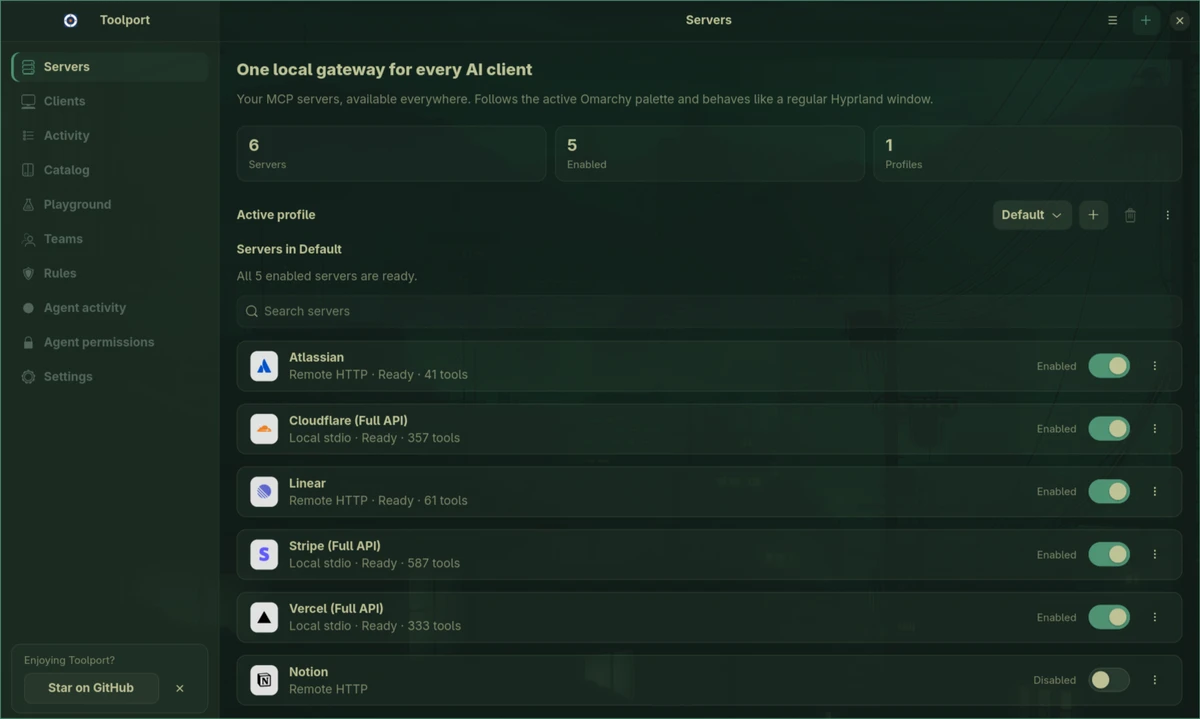
 Toolport v1.23.2 NEW